Game Programming in C++ Chapter1 - 윈도우 창 생성

책의 소스 코드를 직접 작성해보면서 정리한 글입니다. (실습환경: windows)
책 소스 코드: GitHub - gameprogcpp/code: Game Programming in C++ Code
1. SDL(Simple DirectMedia Library)
멀티미디어 SW 개발을 위한 크로스 플랫폼 라이브러리.
비디오, 오디오, 사용자 입력 등을 처리할 수 있다.
2. 프로그램 흐름
Main 함수에서 Game 실행을 위한 runLoop 함수를 호출한다.

Chapter1 퐁 게임은 사용자 입력(processInput), 게임 갱신(updateGame), 화면 갱신(generateOutput), 이 3가지 함수를 통해 모든 동작이 이루어진다.
위 흐름은 완성된 퐁 게임의 전반적인 흐름이고,
시작은 화면 갱신(generateOutput) 함수를 구현하는 것으로 시작할 것이다. (window 창 생성)
3. Main.cpp
Game 객체를 생성하고, 실행하는 것 외에, 별다른 기능은 없다.
#include "Game.hpp"

int main(int argc, char** argv)
{
	Game game;

	bool success = game.initialize();

	if (success)
	{
		game.runLoop();
	}

	game.shutdown();
	return 0;
}
주의할 점은 main 함수 형태인데,
항상 다음과 같은 형태로 사용해야 한다.
int main(int, char**)
이유는 SDL은 내부적으로 main을 SDL_main으로 재정의하기 때문이다.
이렇게 하면, (SDL 입장에서), 다양한 플랫폼에서, 프로그램 초기화 문제를 통일성 있게 처리할 수 있다.
4. Game.hpp
SDL_ 로 시작하는 타입은 SDL에서 제공하는 변수타입이다.
#include "SDL3/SDL.h"

class Game
{
public:
	Game();
	bool initialize(int w = 1024, int h = 768); //초기화 함수
	void runLoop(); // 게임 실행 함수
	void shutdown(); // 게임 종료 함수

private:
	void generateOutput(); //화면 갱신 함수

	SDL_Window* _sdl_window;
	int _w;
	int _h;
	bool _running;
	SDL_Renderer* _sdl_renderer;
};
5. Game.cpp
SDL을 이용해서 window 생성과 rendering을 하고 있다.
rendering은 화면에 그림을 그리는 행위로, 생성한 window 안에서 그림을 그리고 있다.
#include "Game.hpp"

Game::Game() : _sdl_window(nullptr), _w(1024), _h(768), _running(true), _sdl_renderer(nullptr)
{
}

//initialize SDL and Create window
bool Game::initialize(int w, int h)
{
	bool sdl_result = SDL_Init(SDL_INIT_VIDEO);
	if (!sdl_result)
	{
		SDL_Log("Unable to initialize SDL[%d]: [%s]", sdl_result, SDL_GetError());
		return false;
	}

	_sdl_window = SDL_CreateWindow(
		"Game Programming in C++ (Chapter 1)",	// Window title
		w,	// Width of window
		h,	// Height of window
		0	// Flags (0 for no flags set)
	);

	if (_sdl_window == nullptr)
	{
		SDL_Log("Failed to create window: %s", SDL_GetError());
		return false;
	}


	_sdl_renderer = SDL_CreateRenderer( //SDL_CreateRenderer is changed in SDL3
		_sdl_window,
		NULL	// the name of rendering driver to init, if it is NULL, SDLL will choose one.
	);

	if (_sdl_renderer == nullptr)
	{
		SDL_Log("Failed to create renderer: %s", SDL_GetError());
		return false;
	}

	_w = w;
	_h = h;

	return true;
}

void Game::runLoop()
{
	while (_running)
	{
		generateOutput();
	}
}

void Game::shutdown()
{
	SDL_DestroyRenderer(_sdl_renderer);
	SDL_DestroyWindow(_sdl_window);
	SDL_Quit();
}

void Game::generateOutput()
{
	//set draw color to blue
	SDL_SetRenderDrawColor(
		_sdl_renderer,
		0,   //R
		0,   //G
		255, //B
		SDL_ALPHA_OPAQUE // 투명도(transparency) / 255 = 완전한 색, 0 = 완전히 투명
	);

	// blue 색상으로 전체를 칠한다
	SDL_RenderClear(_sdl_renderer);

	//렌더링한 화면(파란색으로 칠한 화면)을 출력한다.
	SDL_RenderPresent(_sdl_renderer);
}
6. 렌더링(rendering)에 대한 이해
렌더링은 그림을 그리는 행위다.
주의할 점은 SDL_RenderPresent()를 호출해야지만 사용자 화면(모니터)에 출력이 된다는 것이다.
SDL_RenderPresent()를 호출하기 전까지는 메모리에 그리고 있는 것이다.

7. 실행 결과
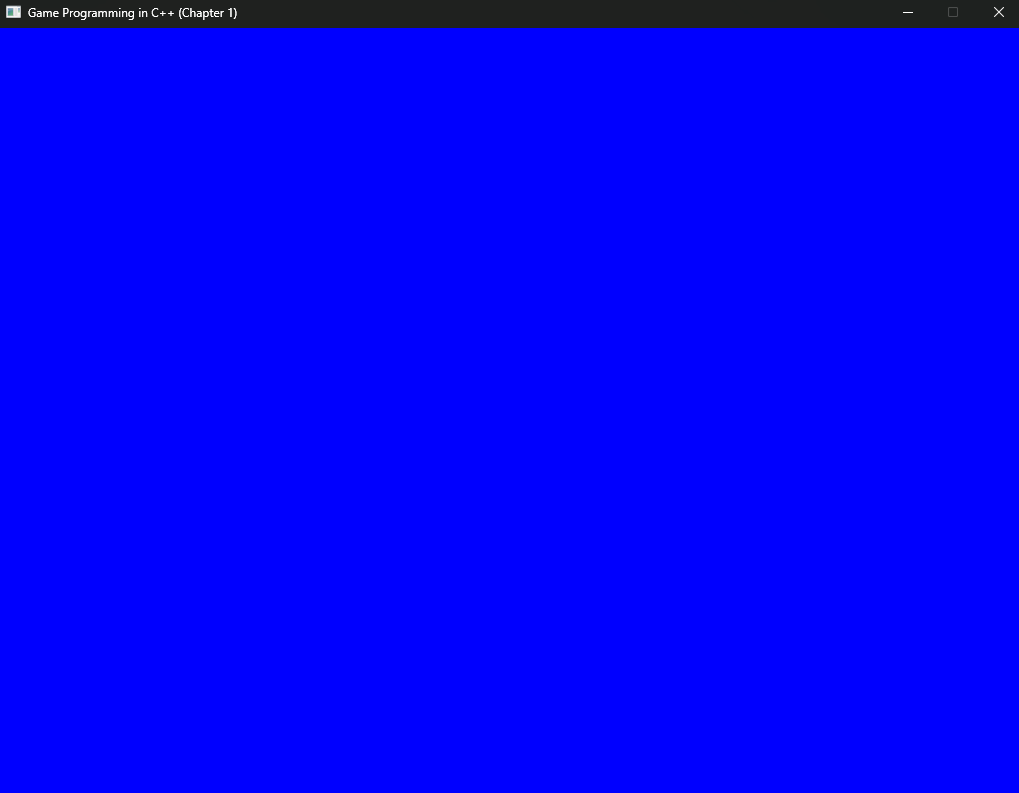
윈도우를 생성(1024 x 768)하고, 그 안을 파란색으로 칠했다. (= 파란색으로 렌더링 했다)